

amt means, whether churn includes downgrades, or which ID joins orders to customers. The context layer eliminates that guesswork — it’s a versioned knowledge base of your tables, metrics, business rules, and domain knowledge that the agent draws on for every answer.
Delphina builds the context layer automatically, validates it continuously, and surfaces gaps for your team to fix: Sources feed Jobs that build Knowledge, Evaluations validate it, the Inbox surfaces gaps, you fix the knowledge, and the next cycle gets better.
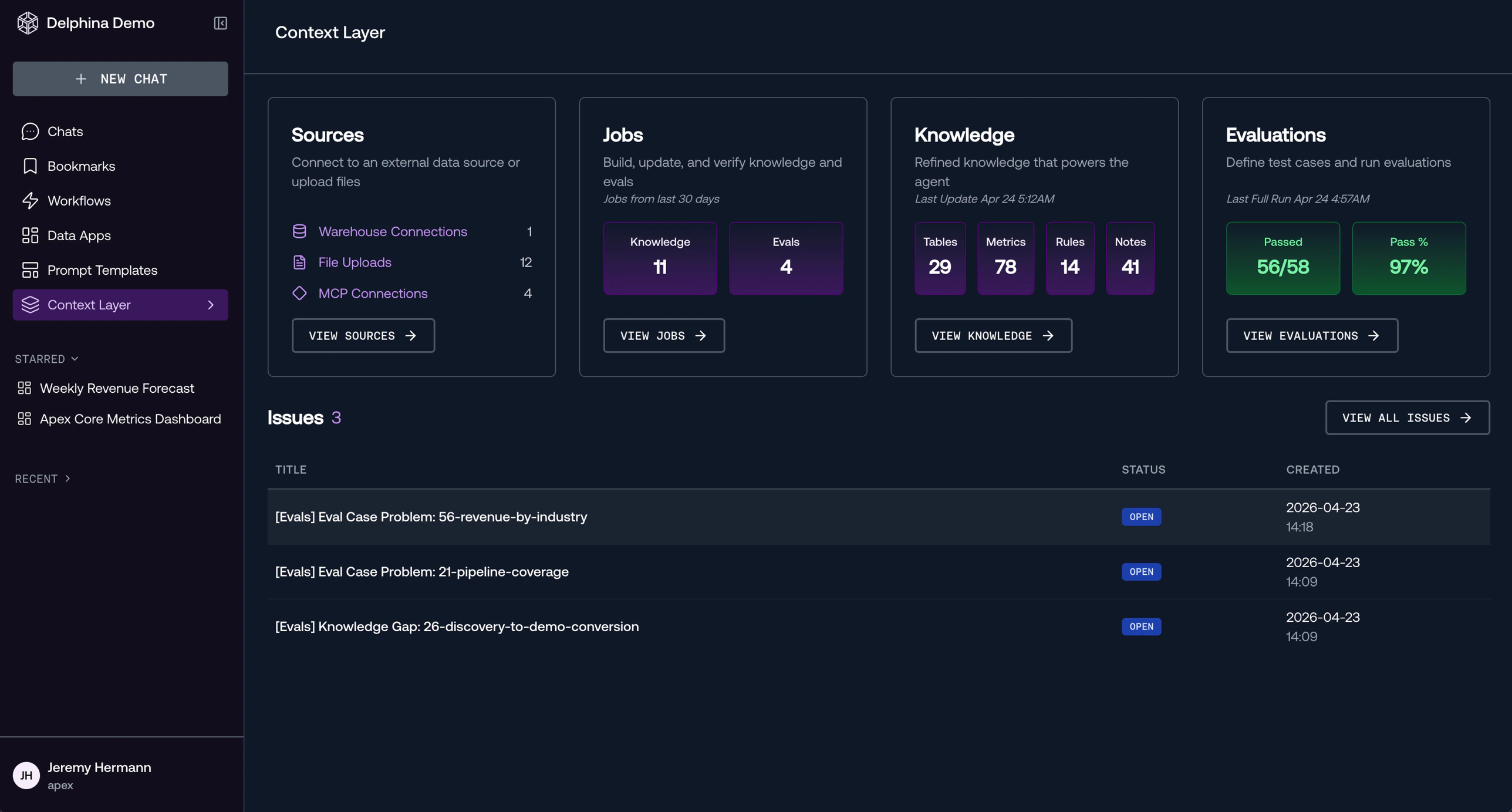
Sources
Sources are the raw inputs that feed your context layer — database connections, file uploads, and MCP connections:- Warehouse connections — Snowflake, BigQuery, Databricks, Redshift, or PostgreSQL with read-only credentials.
- File uploads — CSVs, spreadsheets, or other reference data uploaded through the UI.
- MCP connections — External tools and APIs connected via the Model Context Protocol.
Jobs
Jobs build and keep the context layer up to date. They are started from chat with/knowledge prompts — the agent plans the work with you before running it. Past and in-progress runs are listed on the update history page (View History on the Sources page).
- Knowledge update — Detects what changed in your sources, then documents your most important tables, metrics, and business rules. This is what runs during automated onboarding. Start with
/knowledge Plan knowledge updates— the agent plans a full onboarding if the knowledge base is empty, and scopes to recent source changes otherwise. - Knowledge validation — Checks every document against the live warehouse: schema drift, broken metric SQL, broken cross-references, and coverage gaps. Critical findings become issues in the Inbox. Start with
/knowledge Run knowledge validation. - Evaluations update — Generates test cases from your current knowledge base so the system can validate its own accuracy. Start with
/knowledge Create evals.
Knowledge
Knowledge is the documented context the agent uses to answer questions — descriptions of tables, metrics, business rules, and known data nuances, organized into namespaces. Every edit is versioned for rollback. The agent writes knowledge automatically during onboarding and jobs. Your team edits it with/knowledge in chat or directly in the UI.
See: Automated Onboarding | Maintenance
Evaluations
Evaluations are quality checks that validate agent answers. Delphina auto-generates test cases from your knowledge base, and an LLM judge scores each response against expected results. Run them anytime from Context Layer > Evaluations — typically after a knowledge update or periodically (e.g. weekly) — and review results, with failures diagnosed and filed as issues in the Inbox. A background critic agent also reviews each chat response after it completes, scoring its trustworthiness — the verdict appears as a Critic row beneath the answer. See: Evaluations & QualityInbox
When an evaluation fails or a validation run finds a critical problem, it surfaces as an issue in the Context Layer > Inbox. From there you can read the failure, open/knowledge to fix the documentation, and mark it resolved. Fix the knowledge, re-run evaluations, and the failing test passes.